

How to restore agent-free AI Generate code feature in PHPStorm (and other Jetbrains IDEs)
With the newest version of IDEs, such as PhpStorm 2026.2.3, the right-click AI action named Generate code is now routing the request into the AI Agent panel, instead of making its magic into a temporary top banner.
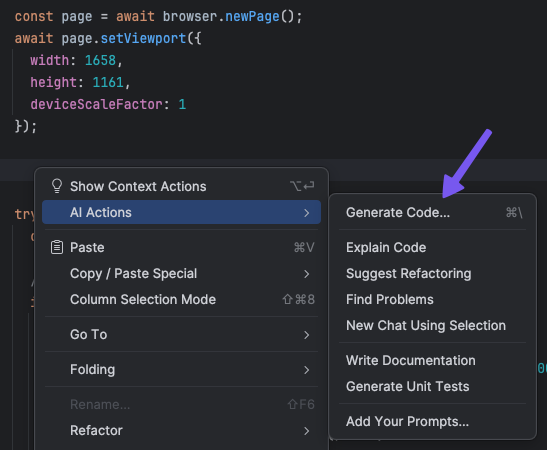
The agent is much slower and more token hungry than the previous method. Furthermore, it doesn't follow the model selection instruction given in the preference pane:
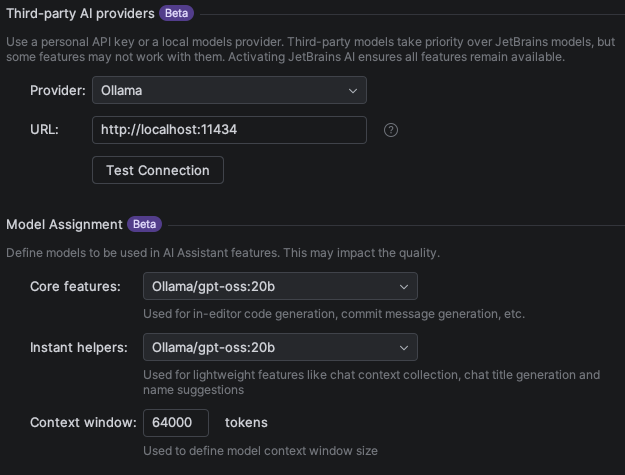
This is a behavior that has been flagged in the plugin reviews and is now tracked as a feature request.
In the meantime, to recover the previous behavior, follow those steps:
- Open Help | Find Action and search for Registry.
- Find
llm.action.generateCodeInplace.useAgenticChat. - Disable this option, then restart the IDE.
This will restore in-editor generation with the Accept All and Discard All controls.
Another approach is also proposed in a comment on the issue tracking entry. It involves uninstalling Junie as an agent, and instead using its plugin version.